

Description
💰 Take Charge of Your Financial Future with the Annual Budgeting Template (Google Sheets Version)
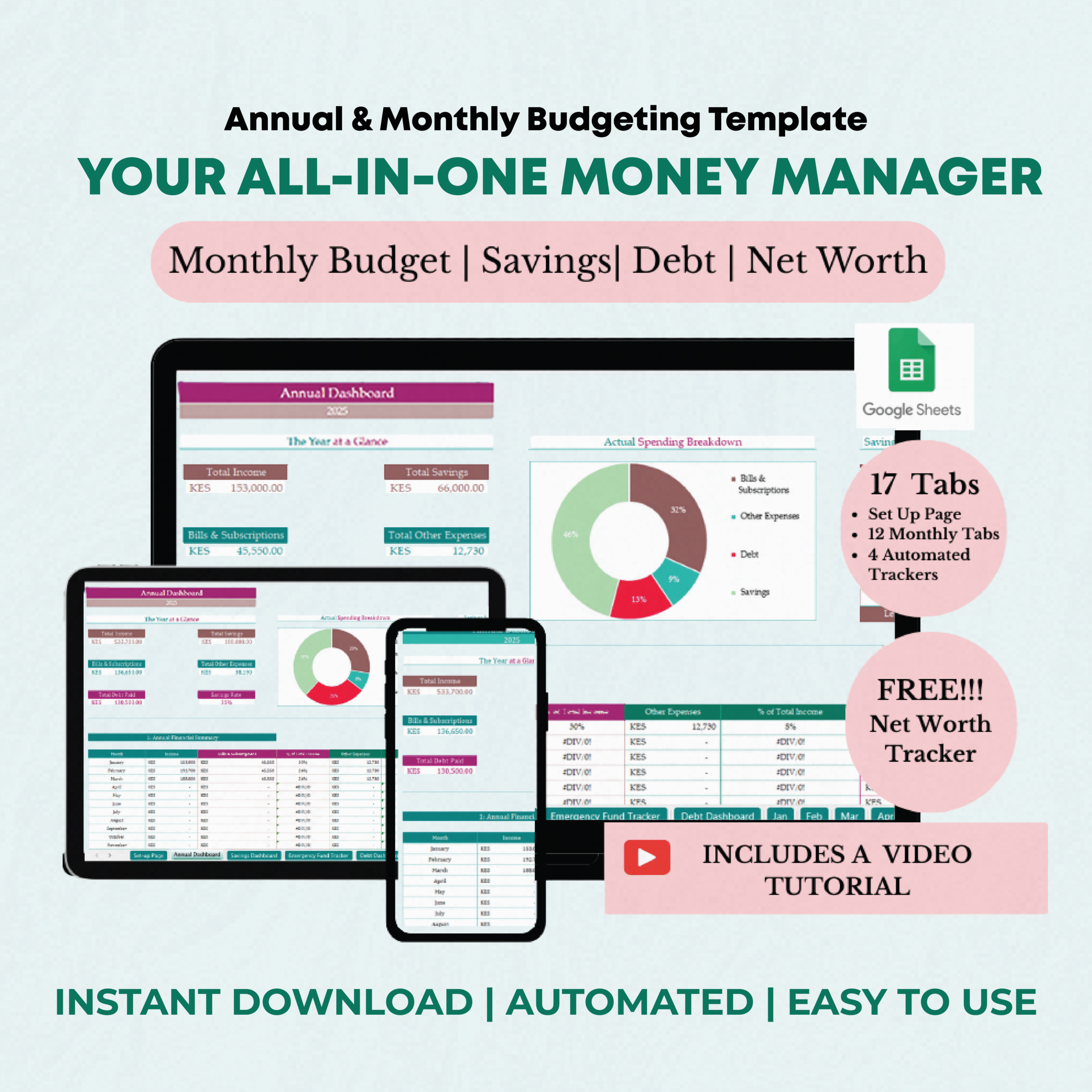
Are you tired of living paycheck to paycheck or ready to organize your finances to build wealth? Whether you’re struggling to manage your money or aiming for financial freedom, the Annual Budgeting Template is designed to help you take charge of your finances and track your progress effortlessly.
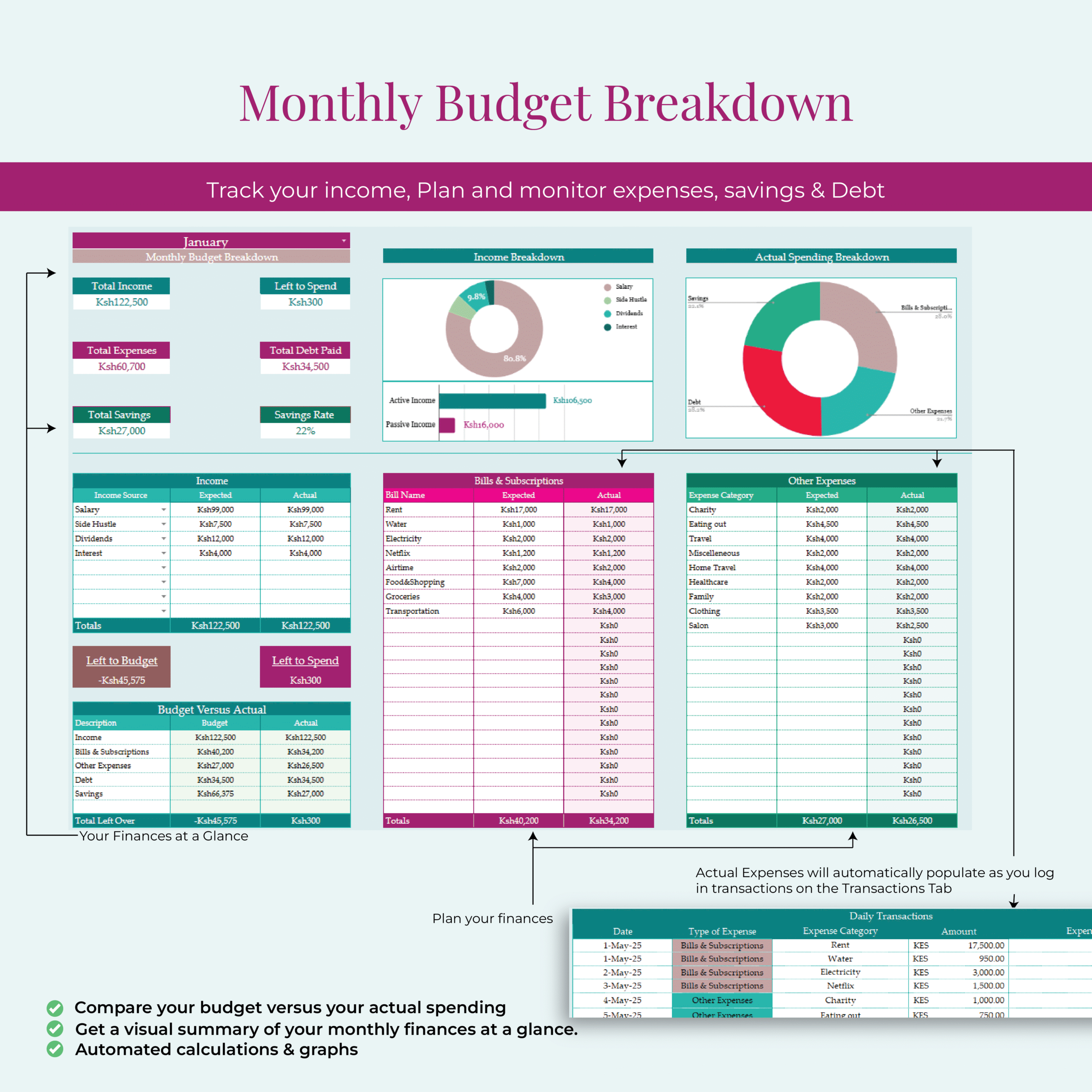
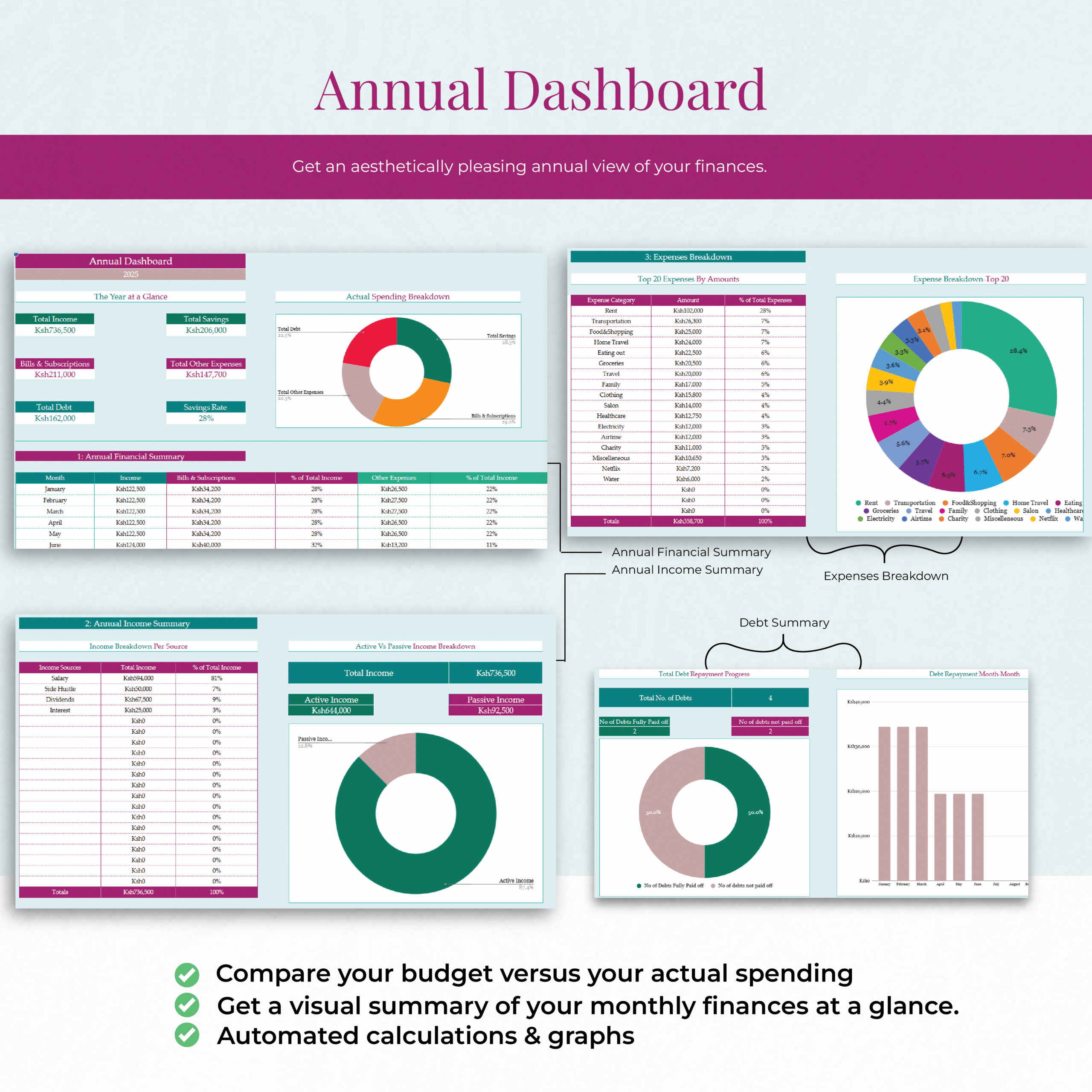
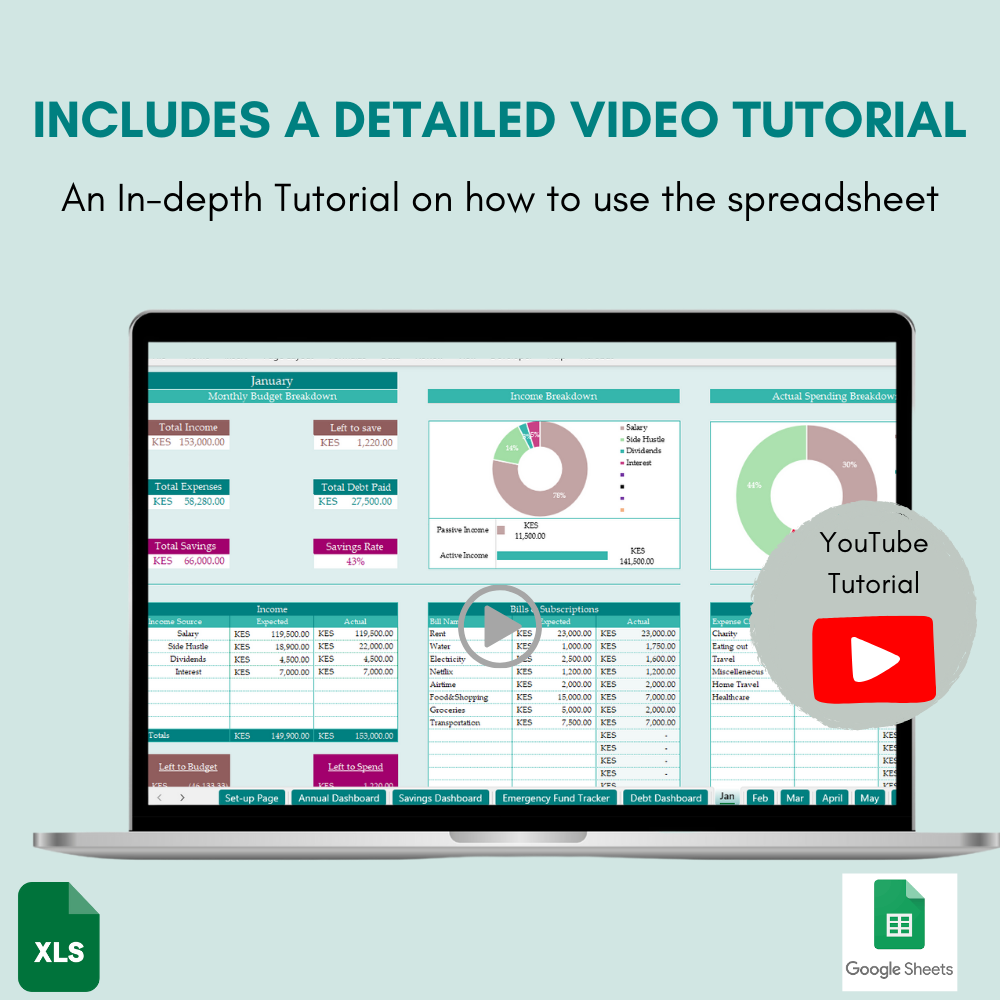
Picture this: Before the month even begins, you’ve already mapped out a clear plan for your finances. With this easy-to-use tool, you’ll plan your income, bills, expenses, savings, and debt each month. I’ve created 12 Monthly Budgeting Tabs for each month of the year. The monthly budgeting tabs are structured to accommodate recording your income, planning bills & expenses, debt repayment, and most importantly, savings. Each Monthly Budgeting Tab also has a Daily Transaction Tracker to log your expenses. As the month progresses, you can compare your budgeted expenses with your actual spending, and adjust for the next month to stay on track. Over time, you begin to notice spending patterns and streamline where necessary. As you budget each month, you get a visual summary (automated graphs) of your finances, focusing on areas like:
- Income Breakdown: A clear view of where your money is coming from.
- Breakdown of How Money Was Used: See how much was spent on expenses, saved, or paid toward debt.
- Budget Versus Actual: Compare your planned budget with actual spending to stay on track.
- Top 5 Expenses: Identify the biggest areas of expenditure so you can cut back if needed.
But that’s not all! The template includes automated trackers that update in real-time, helping you stay focused on your goals without extra effort. The Savings Tracker helps you set and monitor progress toward your savings goals (like school fees or a vacation), the Debt Repayment Tracker keeps you motivated by visually showing your debt reduction, and the Emergency Fund Tracker ensures you’re always prepared for life’s unexpected moments. Plus, the Annual Dashboard gives you a snapshot of your financial progress, all in one place, so you can see how far you’ve come.
📂 What’s Included in the Template
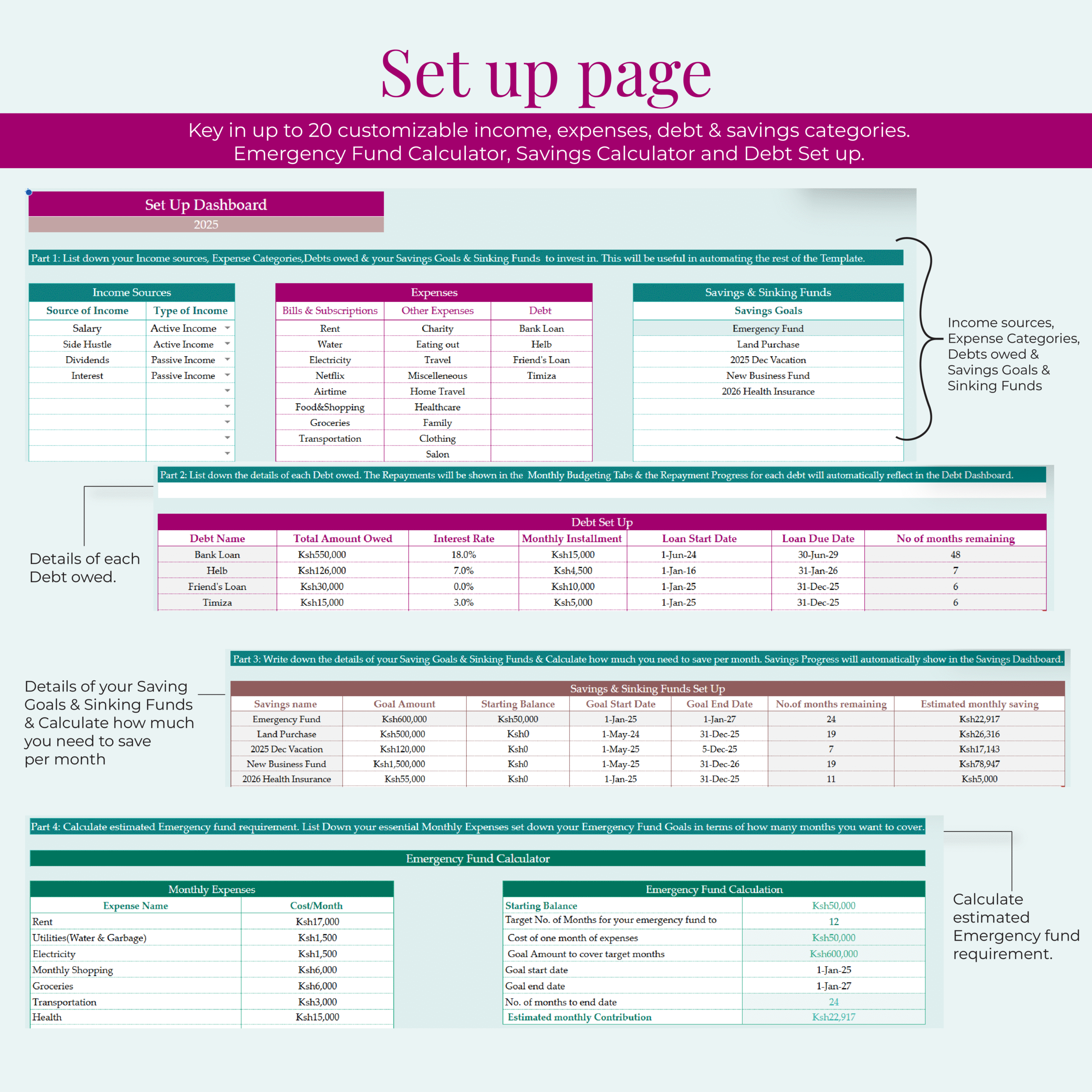
✅ Setup Tab Page – Quickly customize your categories for bills, expenses, savings, and debt to match your unique financial situation.
✅ 12 Monthly Budgeting Tabs – Plan your income, track your spending, monitor bills, and log daily expenses month by month.
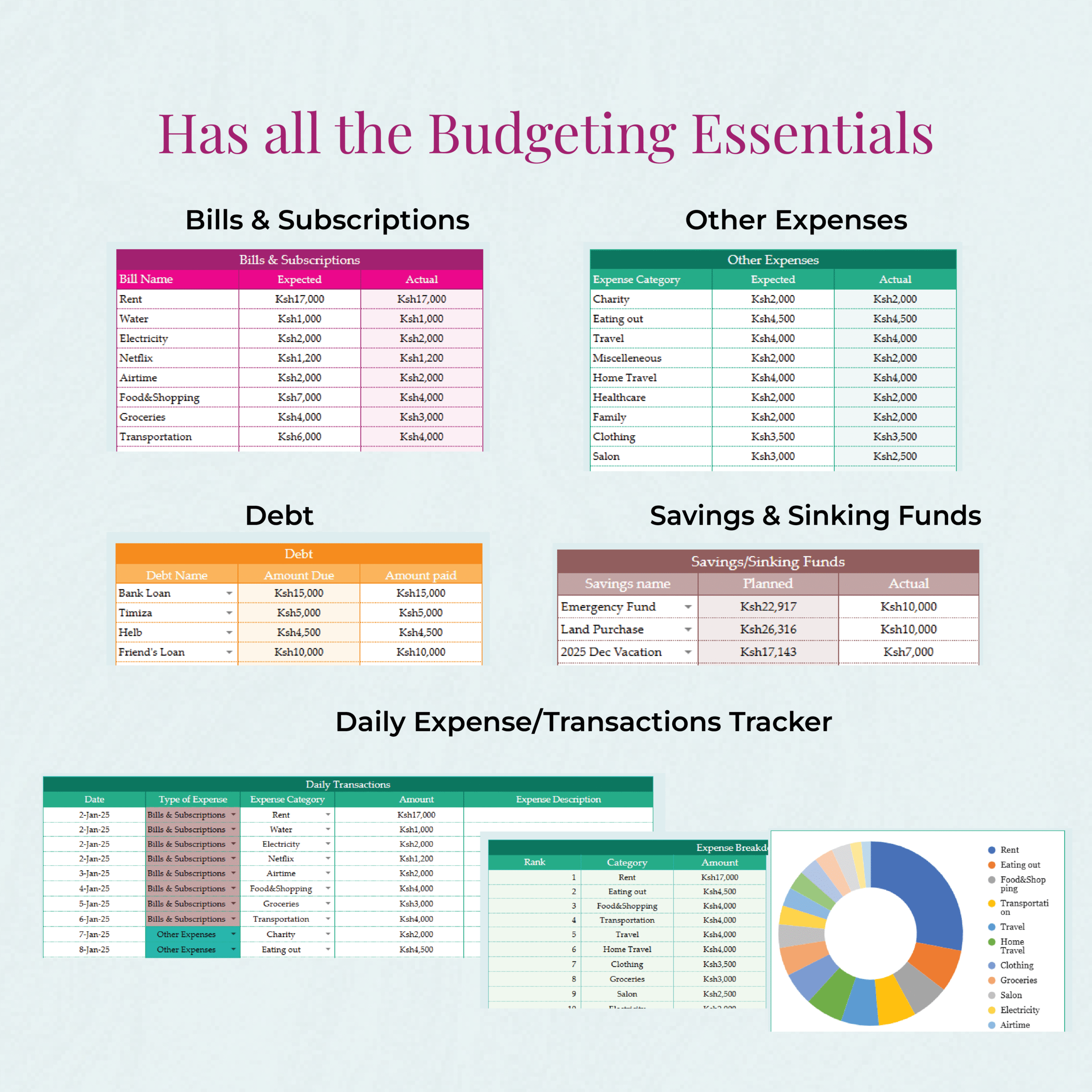
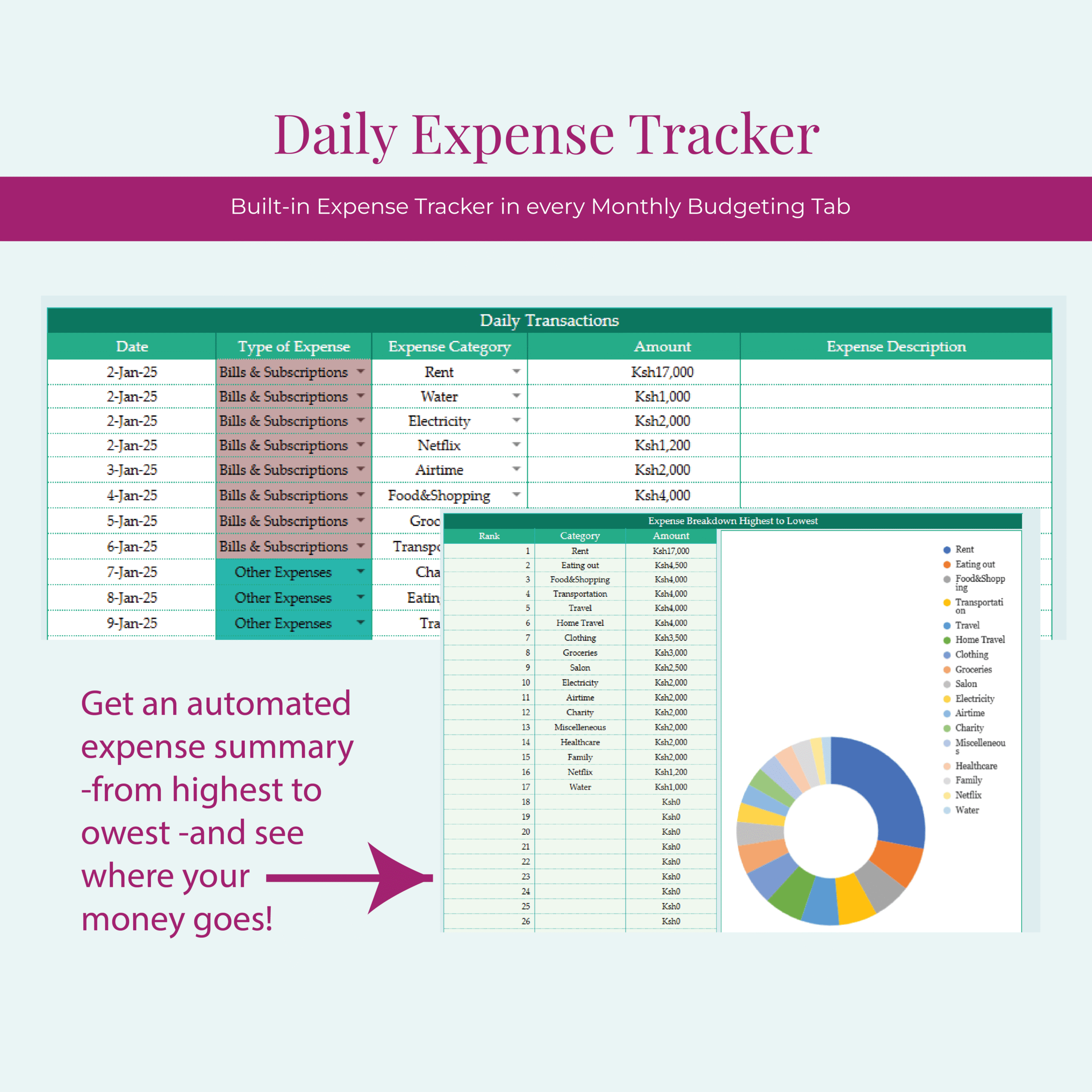
✅ Daily Expense Tracker – Understand exactly where your money is going and make informed decisions with a clear summary of your expenses.
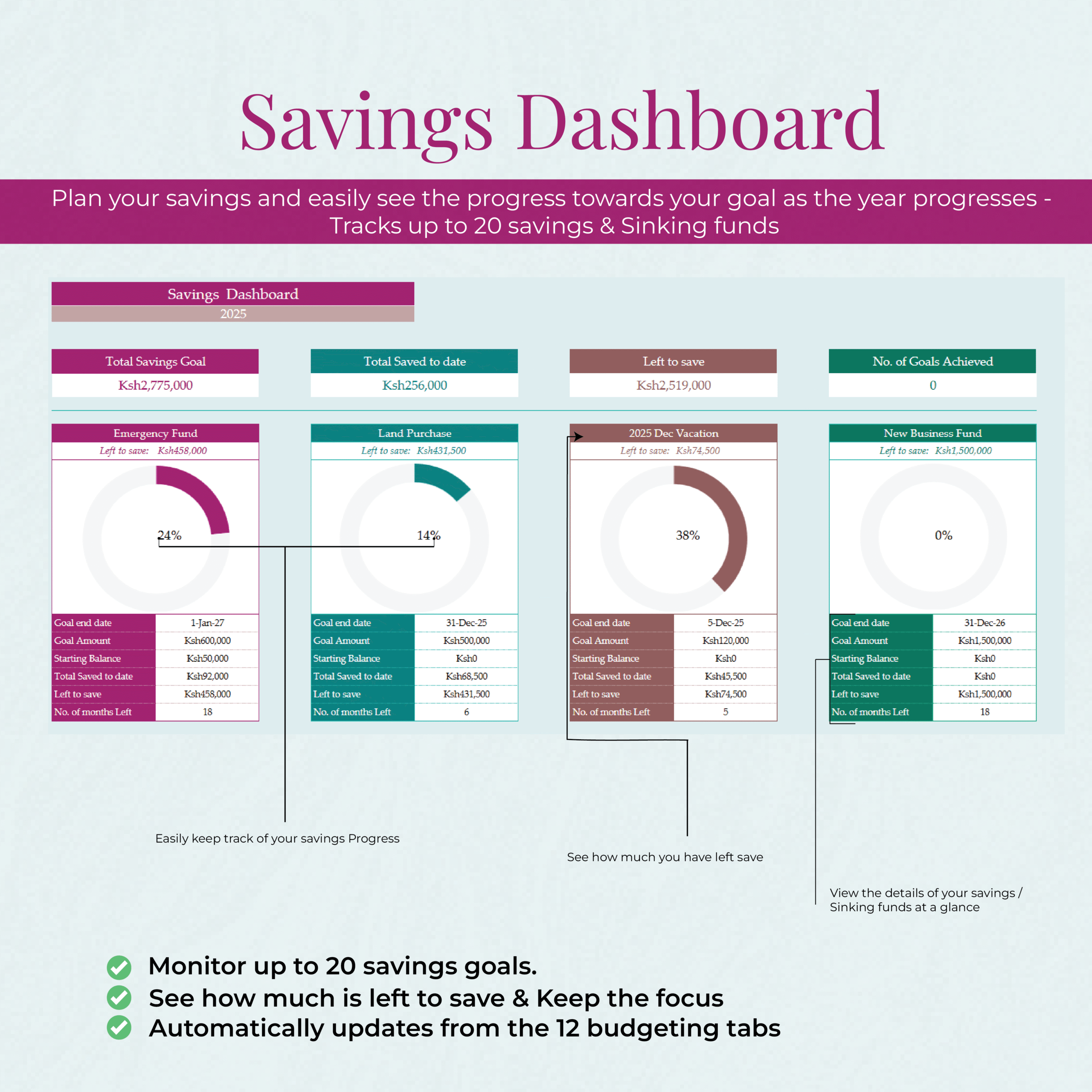
✅ Savings & Sinking Funds Tracker – Set savings goals for specific needs—school fees, a phone upgrade, or a holiday—and track your progress throughout the year.
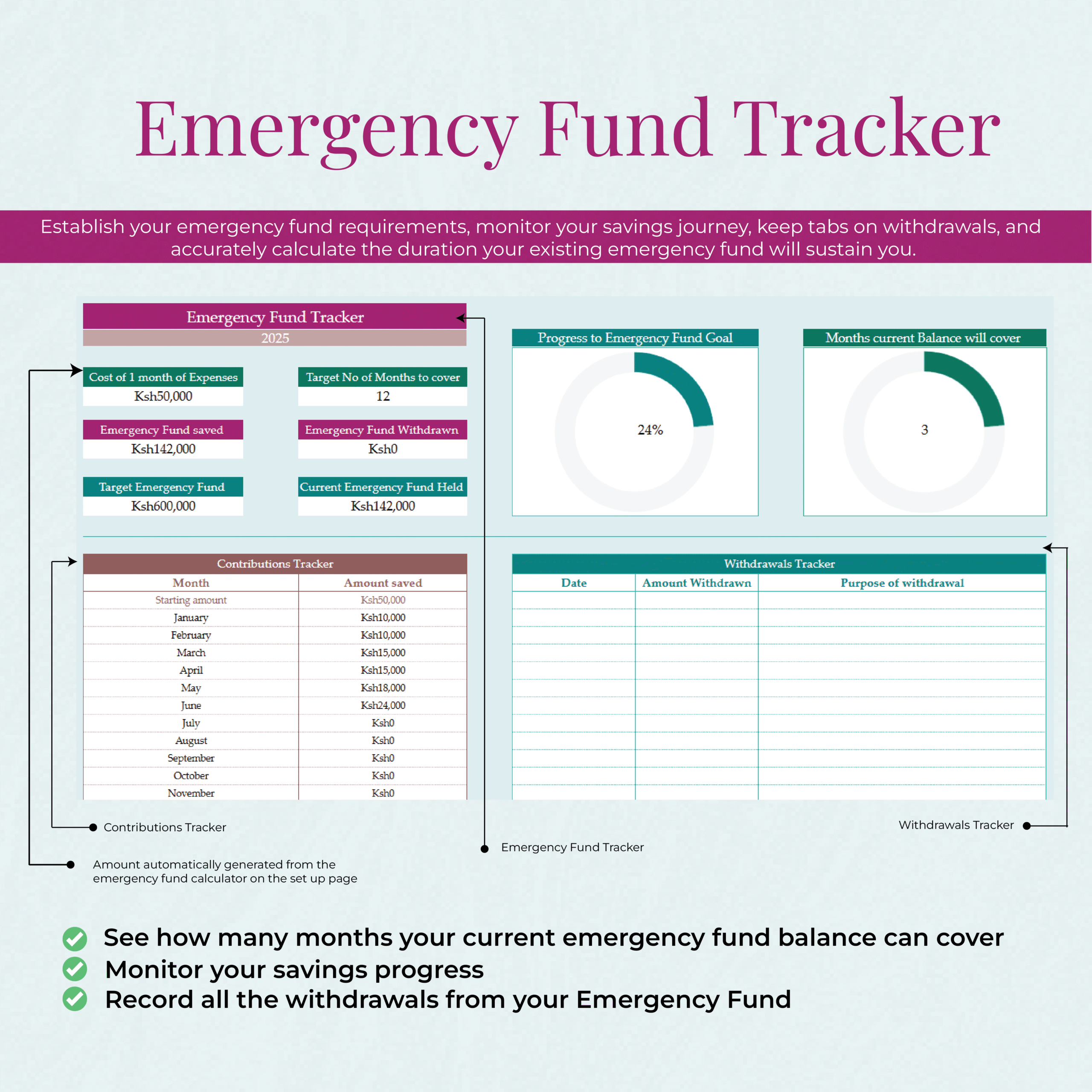
✅ Emergency Fund Tracker – Calculate how many months you’re financially covered, and track deposits and withdrawals to ensure you’re prepared for the unexpected.
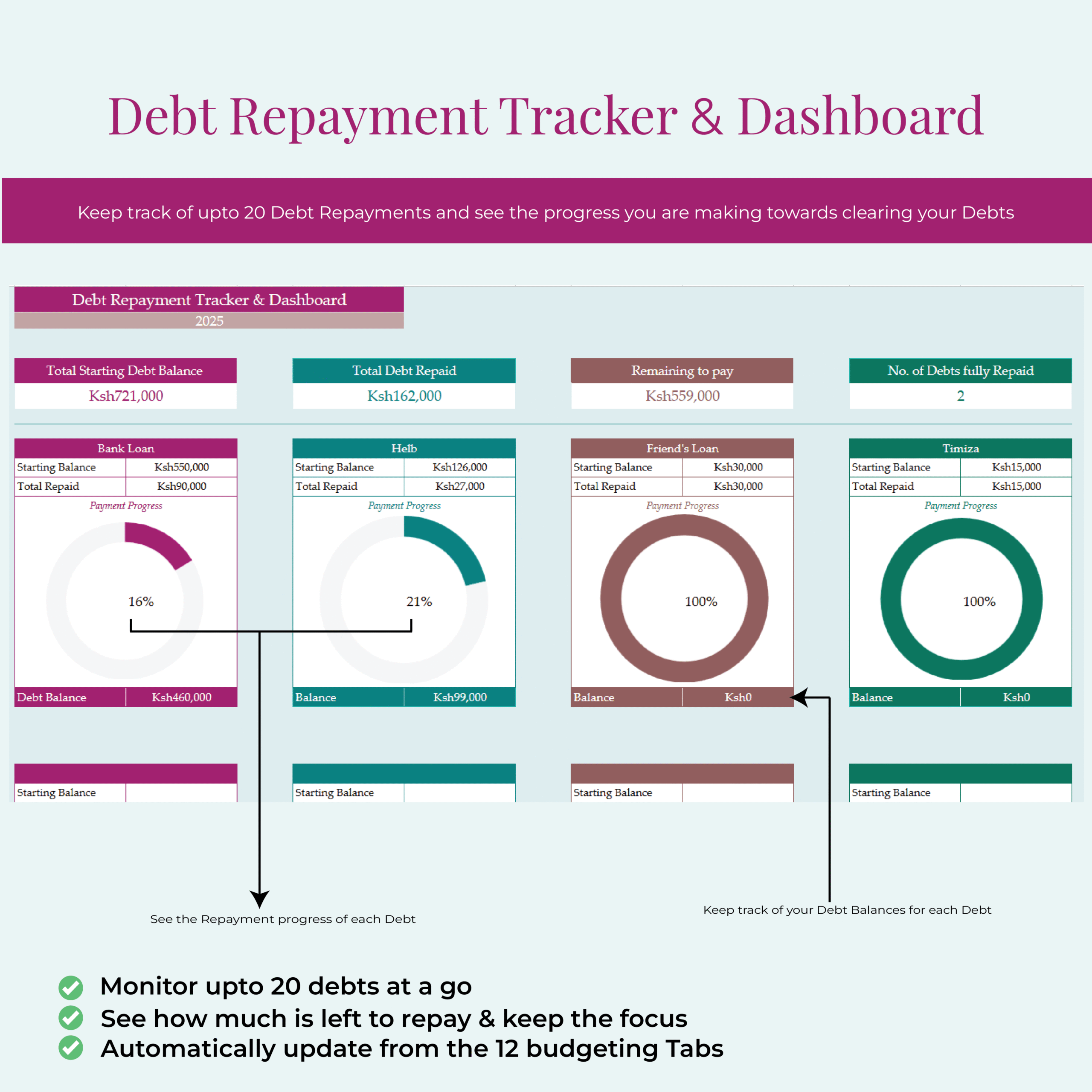
✅ Debt Repayment Tracker – Stay motivated by visually tracking your debt reduction and managing balances month by month.
✅ Annual Dashboard – Get a comprehensive view of your financial progress at a glance: income, expenses, debt repayment, savings, and more—all in one place.
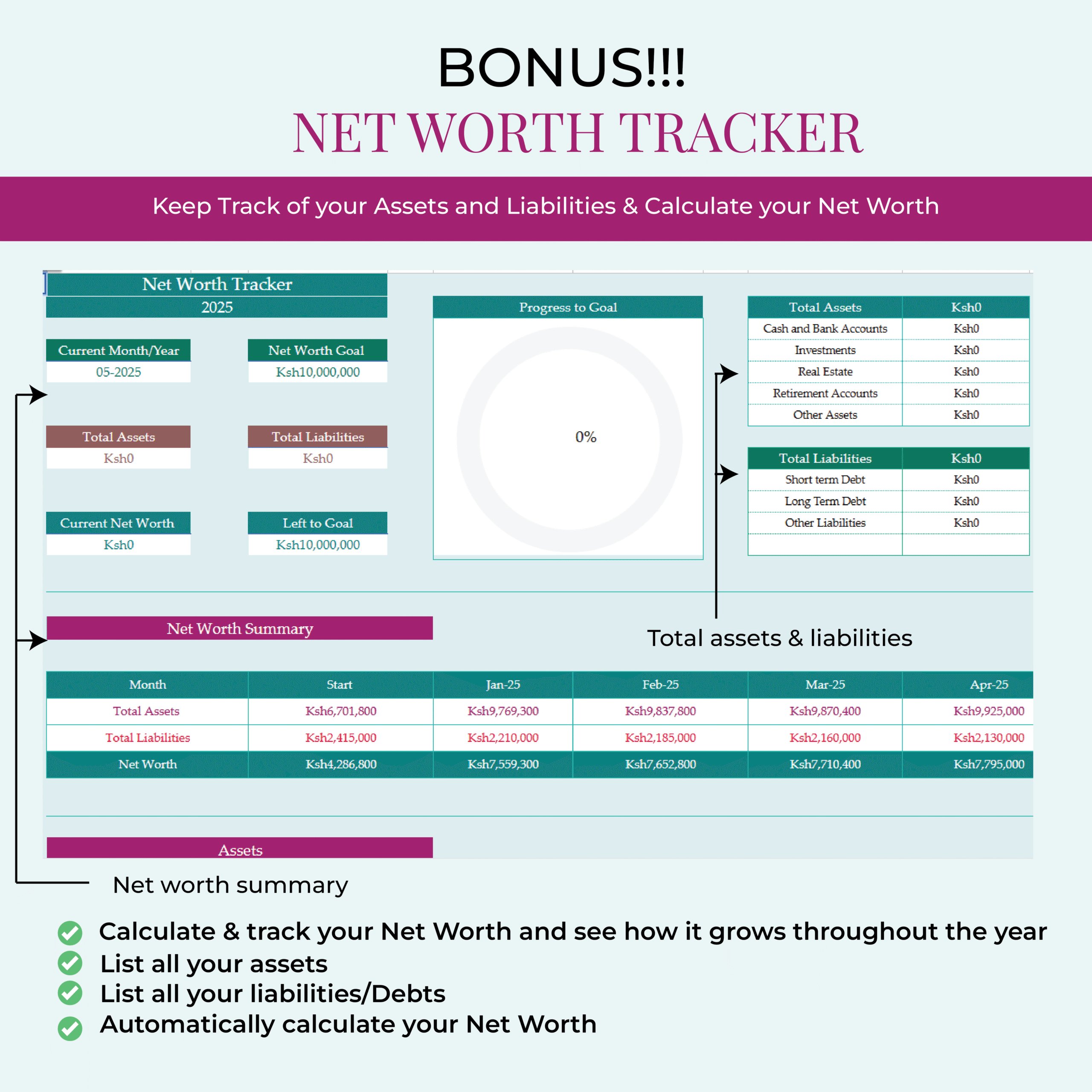
🎁 FREE BONUS #1: Net Worth Tracker (Google Sheets)
Track your assets and liabilities month by month to monitor your overall financial growth.
🎁 FREE BONUS #2: Comprehensive Financial Guide (PDF)
A detailed step-by-step guide covering budgeting, saving, debt repayment, investing, and building net worth—designed to help guide you through your personal finance journey.
📌 Frequently Asked Questions
- Can I use this template on my phone?
Yes!
• If you’re using the Google Sheets version, you can access and update your budget from any device where your Google account is logged in—including your phone, tablet, or computer.
• If you prefer the Excel version, you can use the Excel mobile app to access and edit your budget on your phone. - Do I need to be good at Google Sheets to use this template?
Not at all! The template is beginner-friendly. All formulas are already set up for you. Just input your income, expenses, savings, and debt data, and the template will do the rest. It’s that easy! - Is the template compatible with Google Sheets?
Yes! The Google Sheets version of the template is timeless. All you need is a Google account to access and edit your budget from anywhere—whether it’s on your phone, tablet, or computer. No special software required! - What’s the difference between the Excel and Google Sheets versions?
Both versions offer the same layout and features.
• Choose Excel if you prefer working offline or want to use advanced Excel features.
• Choose Google Sheets if you’d like to access your budget from anywhere using your Google account.
Pick the version that fits your needs best! - How will I receive the template after I buy it?
Once you complete your payment and checkout:
• You’ll be automatically redirected to a download page where you can grab your product immediately.
• You’ll also receive an email with the file within minutes. If you purchase via WhatsApp, I’ll email you the template directly after confirming your payment.
Ready to take charge of your finances?
Transform your financial future today with the Annual Budgeting Template.
Related products
-
 Annual Budgeting Templates,
Annual & Monthly Budgeting Template-Blue Colour Theme(GOOGLE SHEETS VERSION)
2000.00 -
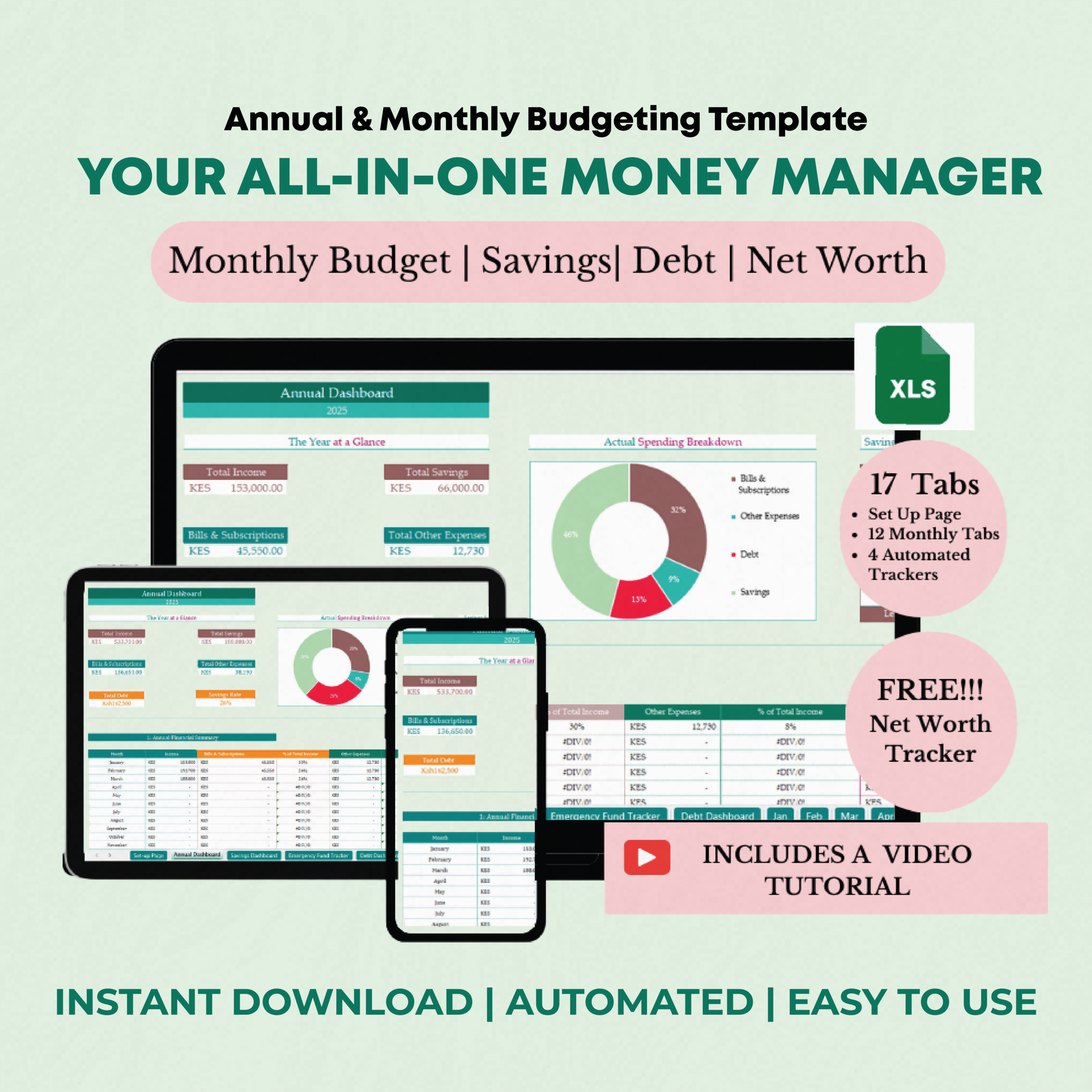 Annual Budgeting Templates,
Annual & Monthly Budgeting Template-Green Colour Theme (EXCEL VERSION)
2000.00 -
 Annual Budgeting Templates,
Annual & Monthly Budgeting Template-Blue Colour Theme (EXCEL VERSION)
2000.00 -
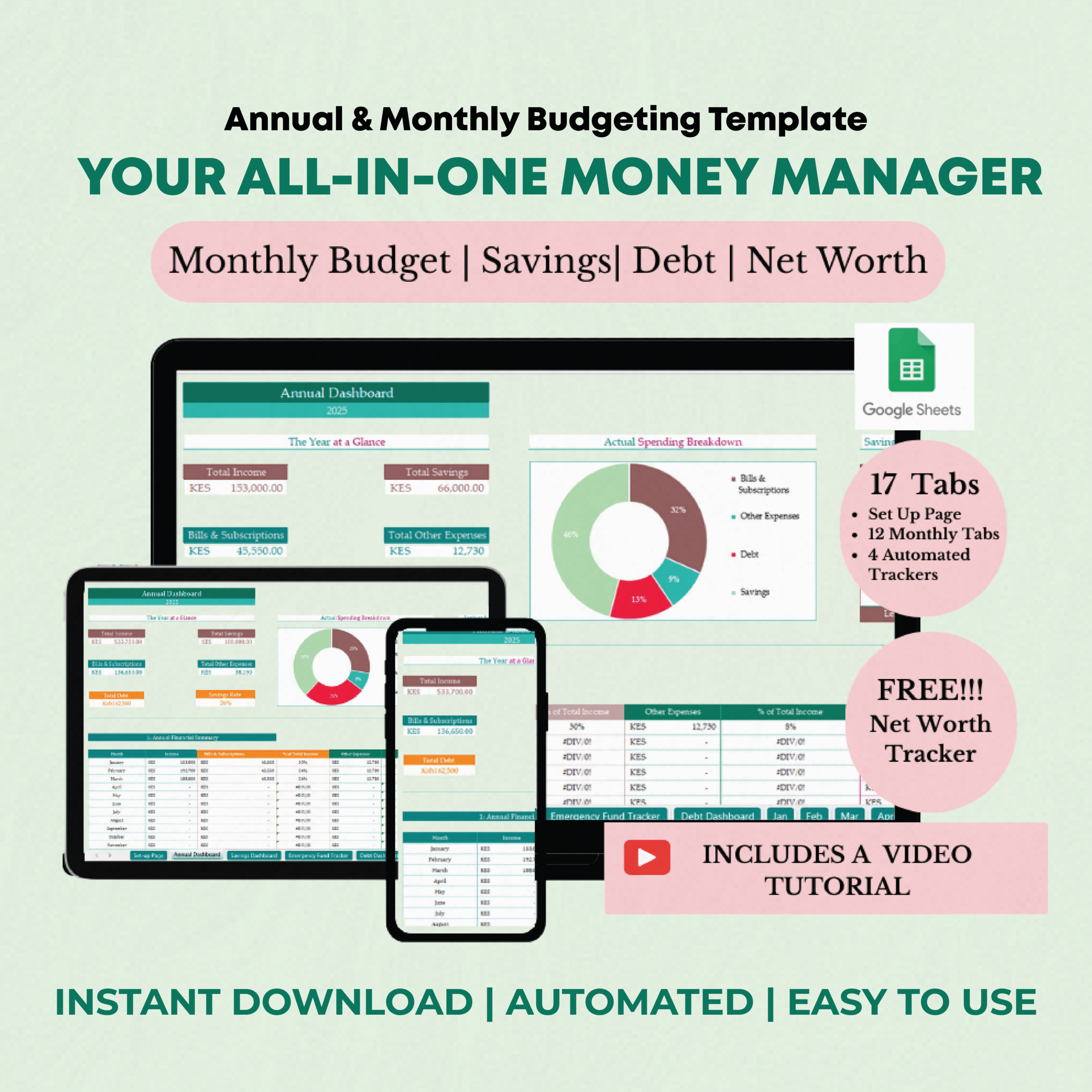 Annual Budgeting Templates,
Annual & Monthly Budgeting Template-Green Colour Theme (GOOGLE SHEETS VERSION)
2000.00
Reviews
There are no reviews yet.